
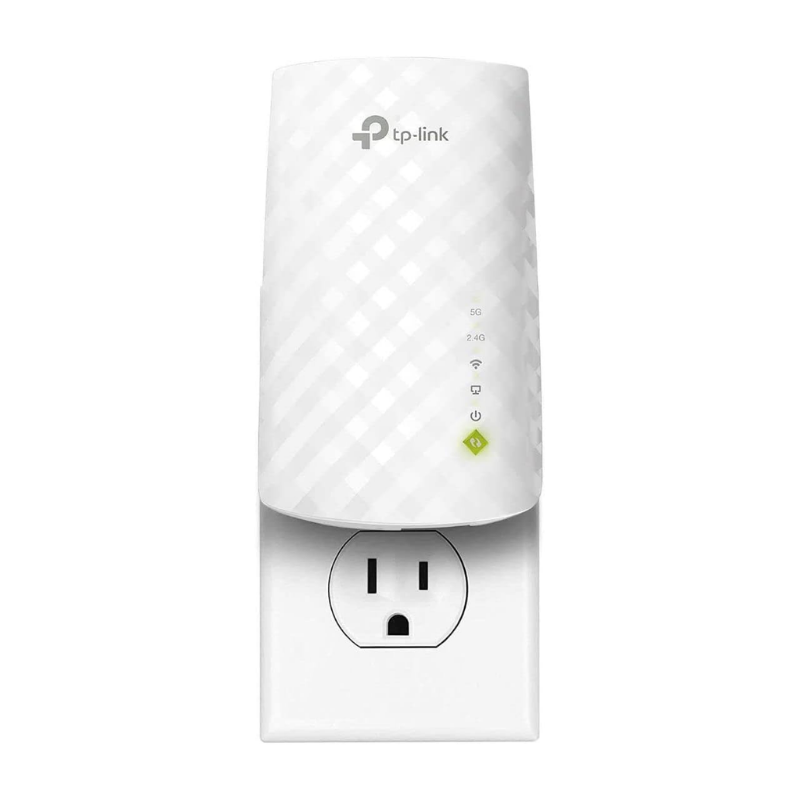
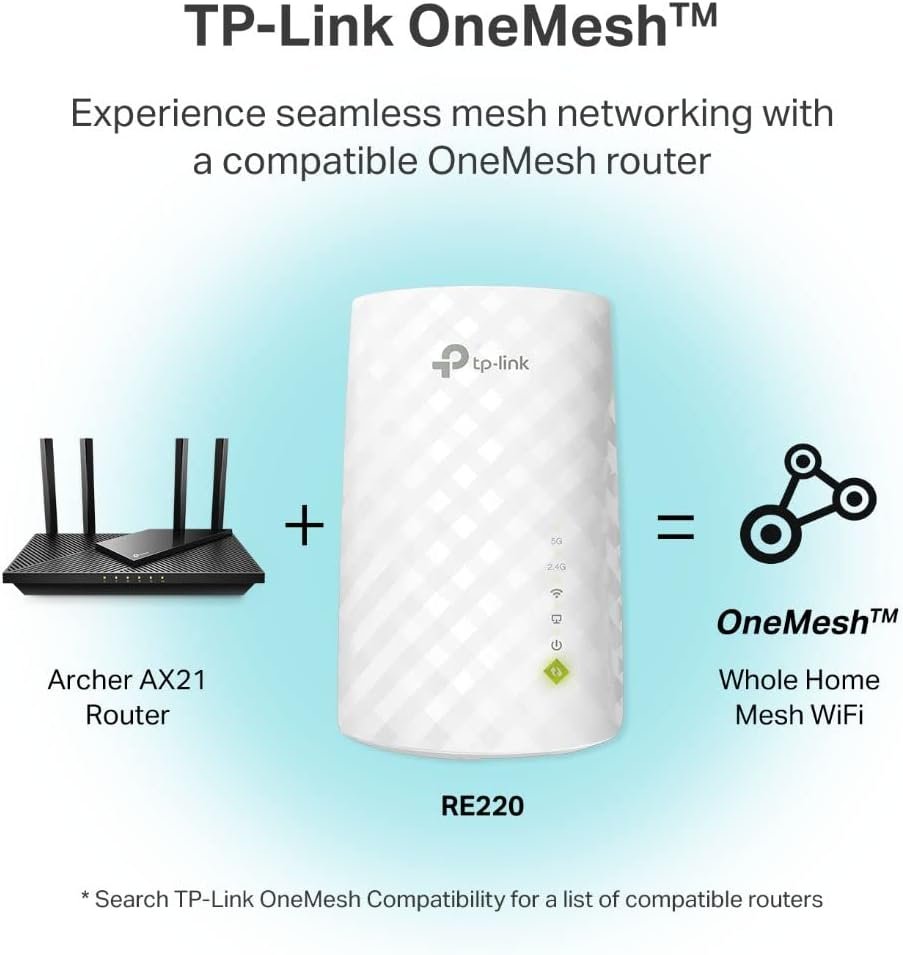
TP-Link WiFi Extender with Ethernet Port. Dual Band 5GHz/2.4GHz. Up to 44% More Bandwidth Than Single Band. Covers Up to 1200 Sq.ft and 30 Devices. Signal Booster Amplifier Supports OneMesh(RE220)
CAD $8.88 – CAD $39.99
1000 in stock
About this item
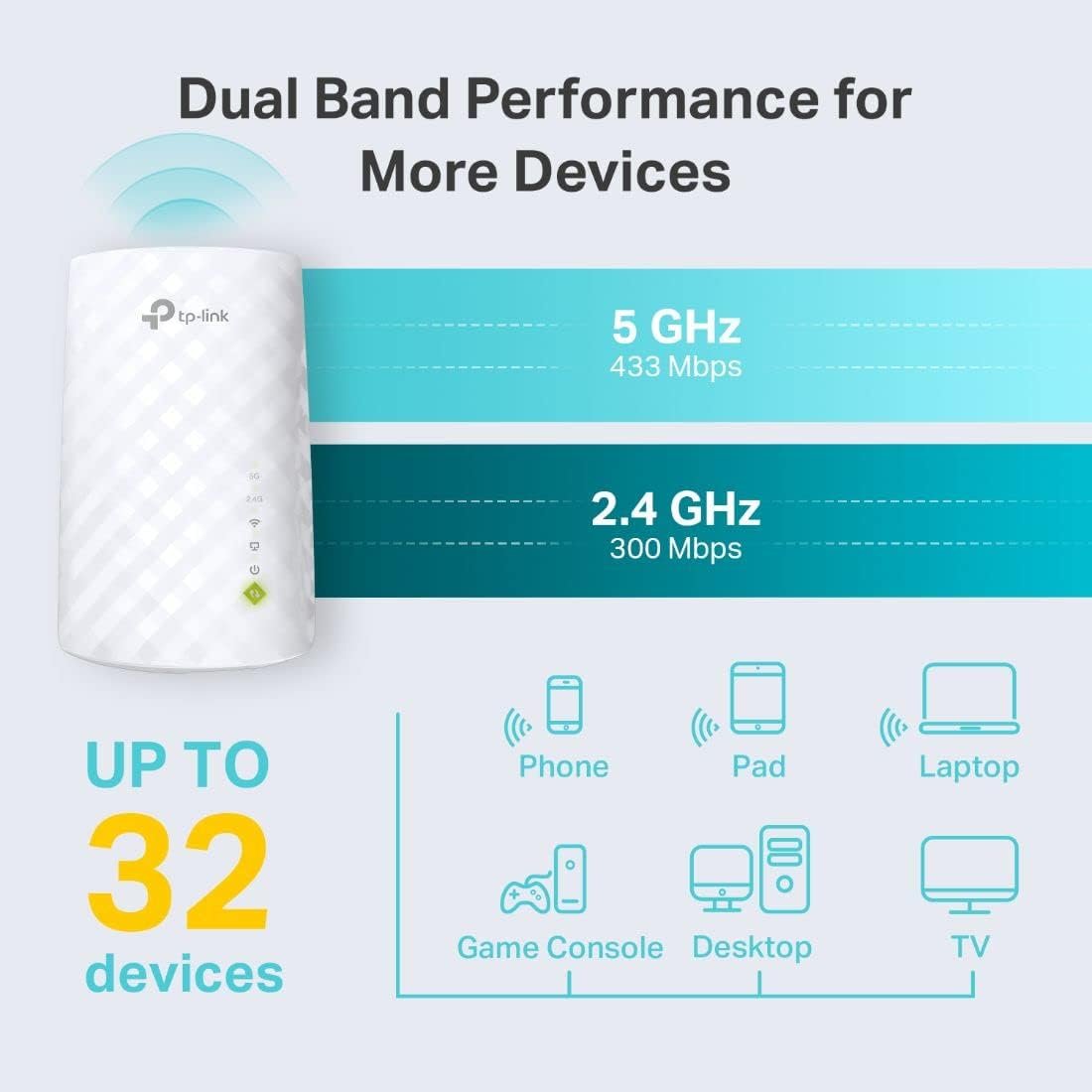
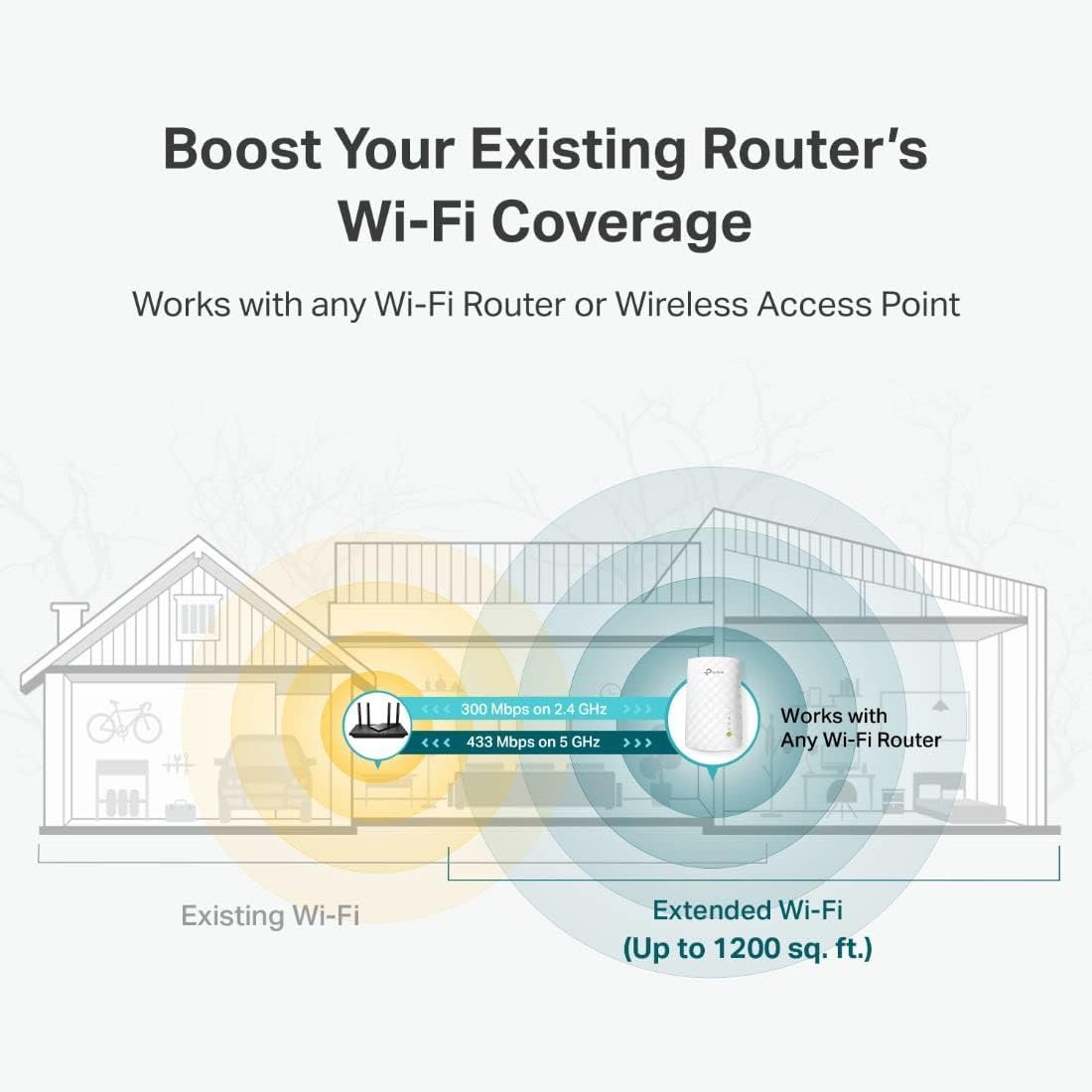
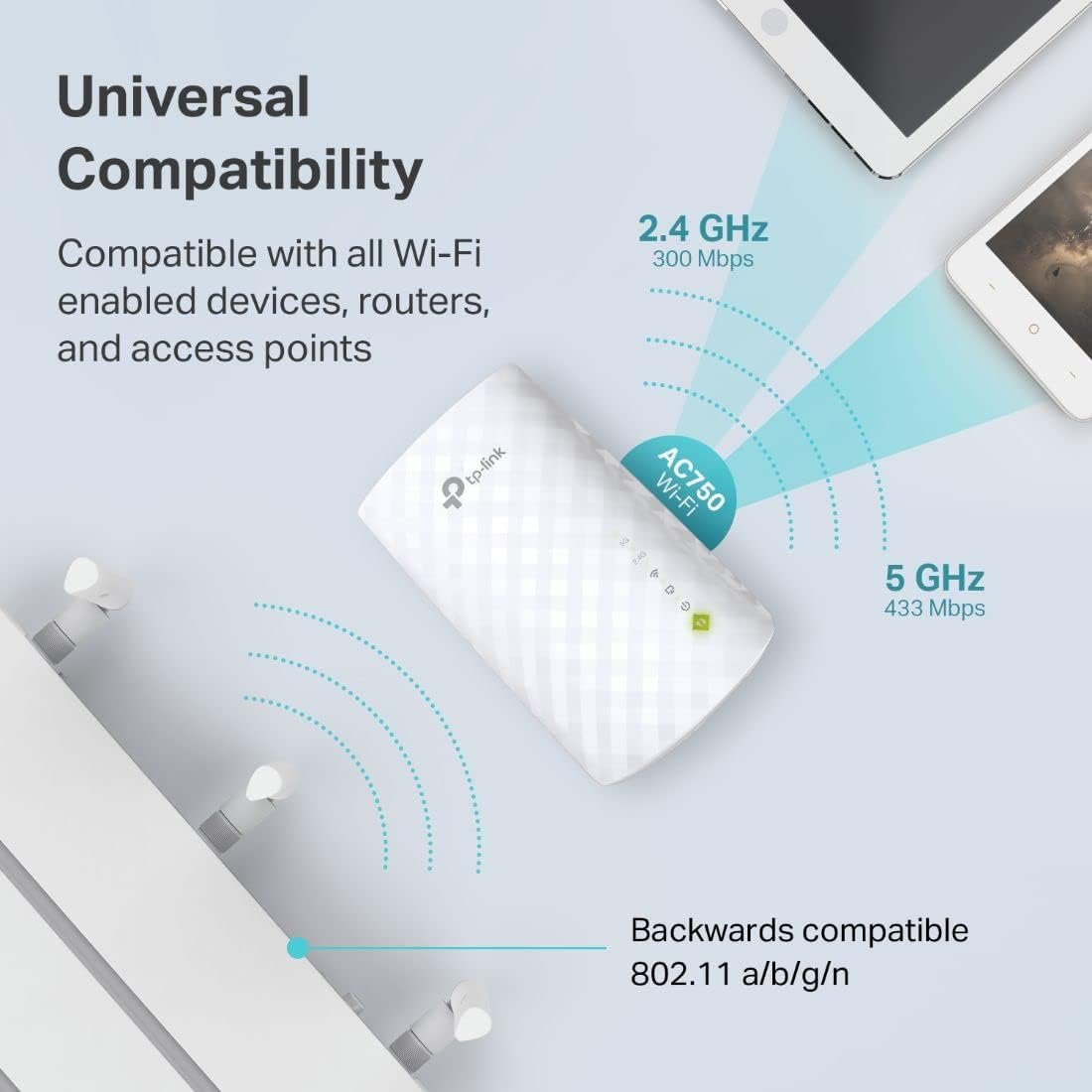
- Dual Band WiFi Extender: Up to 44% more bandwidth than single band N300 WiFi extenders. Boost Internet WiFi coverage up to 1200 square feet and connects up to 30 devices(2.4GHz: 300Mbps; 5GHz: 433Mbps)
Description


Specifications
- Wireless Compability802.11ac
- Data Transfer Rate733 Megabits Per Second
- Frequency Band ClassDual-Band
- Special FeaturesNot_Performance_Used
- Connector TypeUSB 2.0
- Frequency5 GHz
- Compatible DevicesRouter
- Frequency Bands Supported5GHz/2.4GHz
- Range1200 Square Feet
- Item Weight0.2 Pounds
- Item Dimensions D x W x H2.6"D x 3"W x 4.3"H
- ColorAC750
- BrandTP-Link
- Built-In MediaRange Extender
- ManufacturerTP-Link
- UPC840460604703 845973099732
- Global Trade Identification Number00845973099732
- Best Sellers Rank#4 in
- UNSPSC Code43222600 (Network service equipment)
- ASINB07N1WW638
- Item Type NameAC750 Wifi Range Extender
- Country of OriginVietnam
- Item Height3 inches
- Unit Count1.0 Count
- Warranty Description2 year manufacturer, 2-year warranty and unlimited free 24/7 technical support
Additional information
| style | AC2600, AC750, Wi-Fi 5 |
|---|
I moved my home office to the back of my house and after the move, I had issues with my WiFi slowing down and cutting out during zoom calls. I was skeptical to purchase this extender because we had a TPlink extender in the past and it made little to no difference, but we gave TPlink another try because all the reputable tech blogs recommended them. We spent a little more than I had hoped, but now I feel like I underpaid!
This product had worked extremely well so far! I had one zoom meeting since installing it and my coworkers said everything was great on their end. No slowing down or cutting out! I’m a believer now!
□ Easy setup (initially plugged in next to my router. Thanks to the Teather app set up was a breeze. Unplugged, took upstairs plugged back in and immediately saw improved network connectivity speed on my TV and other devices (pic).
□ The blue LEDs are very bright, particularly at night! Love how they can be turned off via "night mode" or completely off (pic).
Nice to finally not have constant buffering on upstairs TV. A little pricy but it works!
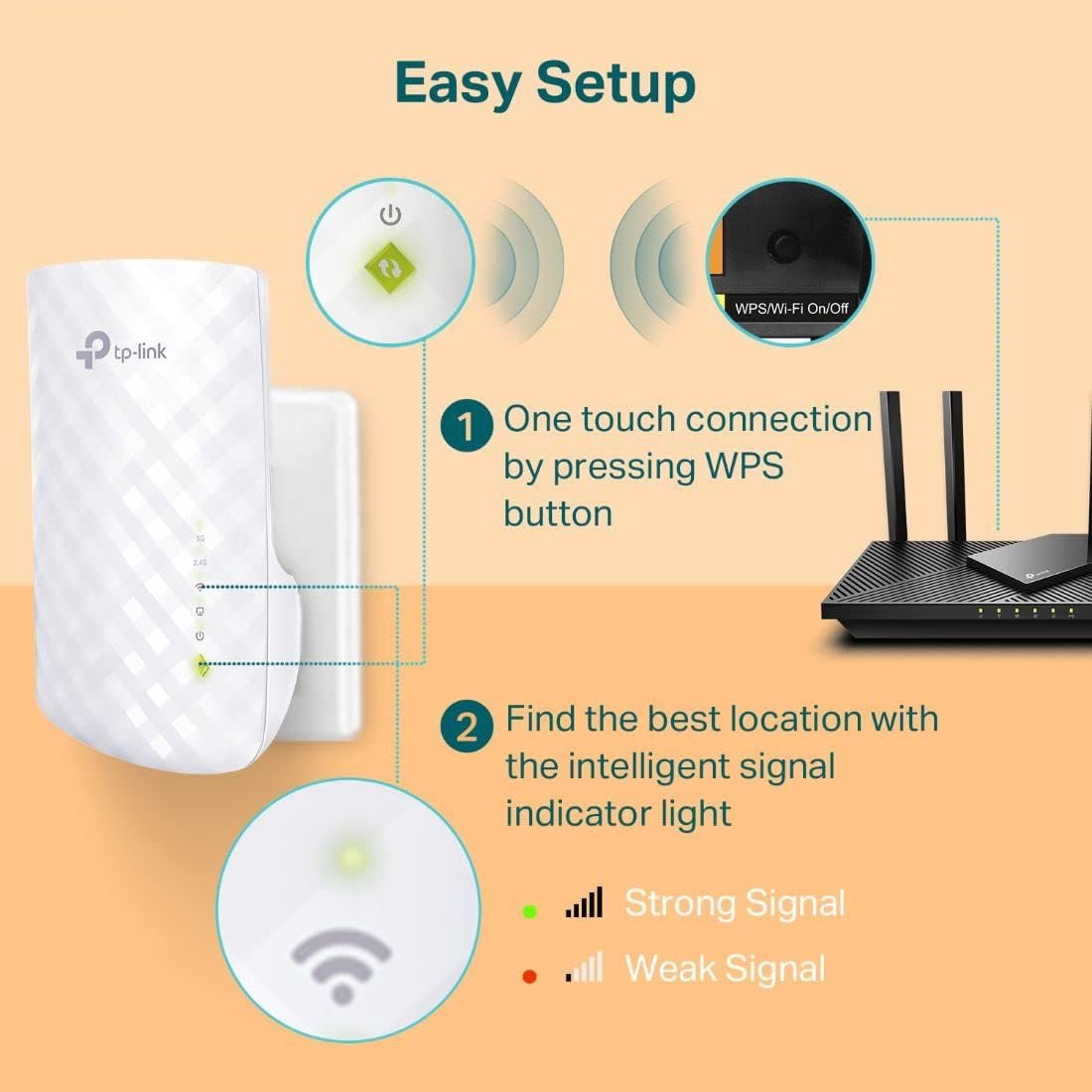
Can be connected in a few seconds using WPS, connected to a PC via LAN cable, or using phone app. After connecting, finalize the configuration details and update the firmware.
This can be setup either to work as its own sub-network with a different network name or as a signal extension of the main network name.
Very useful to convert something like an old desktop PC without wireless to wireless. Also good to get a little bit extra signal range, about 20'.
Speed and bandwidth performance is adequate to run a laptop PC and wireless TV (e.g. FireStick) simultaneously. Works much better than low price entry level units. This unit is just enough for my residential needs where less expensive units were not.
Solves the issue of devices out of gateway range to a certain extent but has its fair share of limitations. Overall good all things considered.
One minor but remarkable drawback is it does mostly cover both outlets of a dual receptacle.
After setting them up (I bought 2), the signal strength to my Ring doorbell improved as well as in my living room.
They require passwords, so they are secure. They worked the first time I set them up to work with my router, so I consider them to be a quality product.
Made by Tp-Lnk.it save my home.my wifi had very weak wifi.now I have very fast internet
I am very happy.Thanks for the suggestion from Tp-Link-I did purchase it.
And I love it
You will need the app to set up but it's mostly plug and play after that. The speed of the wi-fi is also amazing too! Range is also amazing if you have trouble connecting in deadlines.
I decided to trust the old brand names like TP link and D-Link. After checking, I bought this one.
The WPS installation was not too successful so I used web site installation. After 15 mins setup, it works perfectly. See picture for the speed I am getting. I was only getting 8 down and 3 up before I installed this. 👍👍👍👍👍
- has strong signal, completely eliminated dead spots on 2nd floor. My modem has 1000mbps, my 2nd floor 5g extended wifi gets 550mbps next to the extender and 100+mbps in the corner room, pretty good if ask me.
- fair price
- looks unintrusive. Not an eye sore like some other brands.
I will say the install wasn’t as easy at it should have been for some reason. I kept using their “tether”app to add it and kept getting a fail time and again, failed to connect. I finally used the reset button and the first time same results. I tried it again and that time it worked. Was frustrating but ended well.
Setup was SUPER EASY. I game on PC and internet speed is super important. I have the gig speed plan through Xfinity. My gf have 2 kids and we both work from home, so we have a lot of devices connected all the time. My office is on the second floor, the router is downstairs. I was only getting 150 - 250 mbps download. After purchasing this extender, I consistently get between 550 and 720 mbps. I was also able to hardwire through the ethernet port on the extender which is great.
awesome - solid signals on both 2.4 and 5 GHz bands. Extremely easy to setup, just use the WPS or Log Directly into it. I did both methods just to see how it would go, as I generally never use the WPS (EASY METHOD) of adding devices to my router, I had to go ahead and try it. Went so easy, so easy.
But being a bit of a computer, networking nut, I still like doing things the direct hands on way, so directly logged in, very easy to navigate, changed that default security password jazz - DO THIS or anyone who sees these devices or any hooked to your system, will straight off try to log in to them and either hack you or just lock you out.
Not to scare anyone, just keep that in mind with ANY electronic devices hooked to your network. Save yourself the heartache.
That said, it's so easy to do or have a family member help you, but it is really very easy. read and follow the easy directions and you should not have any problem.
My LinkSys Router used to (2yrs ago) delivered a 5 BAR signal to everywhere on my property (about 1/2 acre) but my house is only about 1850 sq-ft. Router sits in the farthest room from screened back porch. As I said, 2 yrs ago the signal was 5 BARS everywhere maybe occasionally at the farthest corner of the property I might dip to 3 but then zoom back up to 5 within seconds.
That was 2 yrs ago, more homes have been built, more cell towers etc. So for the last 12 - 15 months, that great signal dropped to 5 BARS occasionally with 2 mostly or completely dropping signal altogether.
That's some Big League Taboo nowadays, so that leads me to my purchase of the TP-Link AC2600 WiFi Extender(RE650) - Plugged it in at the opposite end of the house - In the Laundry Room. No problems. Solid Signal on both bands - never drops at all, not even a flicker. Fast transfer speeds, I upload / download photos and graphics to and from my place of work. No hick-ups, no more dropouts, just a solid enjoyable signal. Watch HD and some 4k videos over it without a bit of trouble.
This device is top shelf in my opinion. You can set timers for when it shuts off and wakes up (when nobody's home) and can even set the led lights to always on, always off, or at a sleep/wake time.
Yeah you can get cheaper, but that's generally a gamble with finding a diamond, usually you get what you pay for. Who needs that headache to save 25 or 50 bucks. Not saying saving some money is a bad thing, I like money too, work hard for it, so throwing it away is not something I do either, but if your internet and network traffic is important to you - why skimp. There may be better too, really just depends on how you use it.
If you're a real Rockefeller Type, go for whatever fits your need. I just needed my strong signal and network/internet transmission speeds back to STELLAR.
And STELLAR is what this 58 yr old kid got with this TP-Link WIFI Extender. Oh, and it comes with an Ethernet port built into it for direct configuring or getting even more speed out of it. I only used it for the direct login to the device and to upload a new update. That was easy peasy too.
Oh, and it has 4 swing up antennas on it. Really nice device, just place it and forget it.
Sorry for such a long winded review, but it is an honest one. Like I said, I have only had it for maybe 2-3 weeks, more 2 weeks. Will definitely update if anything happens to change it. FOR NOW IT'S AWESOME AND 5 STARS.
Hope this was helpful people.
Thanks TP-LINK. Very well done.
tether app makes it very easy
excellent speed in former dead zone
CONS: i would have liked to been able to setup a different password for the wifi. It uses your main modem/routers password. So if anyone knows your main wifi password. They will be able to connect to it. You can block devices from the configuration app/url.
I would have also liked for the firmware to auto update via the app and the configuration web page. You have to download it manually and apply it via the repeaters config site.
There were some quirks at first, but after a few reboots. Everything is stable now.
The repeater is as expensive as some good standalone routers, but well worth the price to fill in those dead spots.
PROS: very strong signal
Fast network speeds
Matches your main modem/router internet speeds
Easy to setup
I have not had to call tech support. I dont really ever reach out to any, but if I did. There was no need to with this device anyways.
This is one of those review I LOVE to give. I didn't leave a review right away as I wanted to see it work for a few months before giving my feedback. Many extenders seem to work well for a few weeks and then start going south for whatever reason.
I did a fair amount of review and due-diligence before choosing this TP-Link extender as I looked into bridging, perhaps hard wiring a second router, etc. In the end, I decided I'd try the TP-Link AC-2600 and boy am I glad I did.
My last extender just wasn't getting the job done in our 2850 sq. ft. house. My router is on the far northern side of the house in our bonus room and the signal to the first floor was very poor. In fact, my old extender had to be put so close to the router I didn't get much extension. If I moved it further away, it lost signal or had only a weak signal. This TP-Link was placed at the bottom of the stairs in they foyer and I now get full signal in all rooms including the cameras on the outside of the house in three locations. Couldn't be happier with this unit.
Setup was a breeze, no secondary network to have to worry about as it simply extends the primary. Light indicators are easy to see from a distance and functionality has been without issue or headache. If you are struggling to extend your Wifi into the nether regions of your house, give this TP-Link AC2600 a shot. It took a frustrating situation and rendered it a non-issue.
Big fan of this unit!
Attached are the speeds at which my WiFi was before I installed the extender. My WiFi originally was around 23 mbps in my room due to thick walls, but after I followed the instructions, installed the app, and made sure the extender was in proper condition, my WiFi went up to the 100 mbps range, with minimal ping in the 20s to even low teens. I enjoy this product and hope that it will be worthwhile. I will add updates if any issues arise from this product, thank you.
Simply remove the unit, plug it into a wall outlet somewhere near your router, and push the large button on the Range Extender. In a few seconds, the flashing light turns solid blue. Now, push the WPS button on your router. The range extender begins flashing and when the little blue flashing lights on the range extender turn solid blue, you have a solid wifi extension. Unplug the extender now and it remembers the settings.
Take the unit to a room in your home where wifi is poor and plug it in. The unit will begin flashing and when the little blue lights turn solid blue again, voila, instantly extended wifi. The signal is great and the unit works flawlessly.
If anything changes regarding reliability or failure, I will post a follow-up review.
However, it’s work on 110-240 volt. I was afraid about that because in Bahrain we’re using UK electricity systems. So you will need only an adapter because RE650 coming with US plug.
I initially tried the Quick Setup using the WPS button, however, the Netgear router did not have this button. I then tried the Quick Setup option using the browser and it was quick and easy. I placed the TP-Link range extender in my garage approximately 20ft from the Ring camera. It has been two days and no dropped signal yet.
The TP-Link Range Extender keeps the router’s SSID and password so there’s no need to look for and assign a new SSID and password.
For fun I compared connections speeds using my iPhone and MacBook; definitely much faster through this extender when at that end of the house compared to the signal degradation over distance that occurs without this.
The free App is GREAT too, I can monitor/confirm all my devices are connected and I can even change the names they display as.
There is also a feature that helps you pick an optimal location for the unit. Rather than unplugging/plugging in different outlets and waiting for it to reboot, I put it on a long extension cord and walked around the house testing different locations, just remember to pause in each spot and give it a chance to register. Managed to find an outlet w/ discrete placement and a strong connection to all necessary devices. I highly recommend. Easy to set up and use.
This thing is LARGE, but I don't think anyone looking for 4x4 MIMO, Beamforming, and QAM with these speeds will mind.
After lots of research we ended up pulling the trigger on this device and I'm very happy we did. The Install was simple and easy using WPS with no issues. I tried both the wireless side (180mbps on average) with the Ethernet cable plugged into the PC from the TP-Link we get a consistent & legitimate 200+mbps!
Notes: The LEDs are bright at night but can be turned on/off with a convenient button on the side of the unit. The unit is larger than I had thought, it will dominate any outlet it is attached to. I have mine on a short extension cord. Pic attached.
Installation was fast and easy, just plugged it in near the router, scanned for the new extender, logged into it's IP address, and with just a few mouse clicks, and it was working. Easy. Well then I started to think... can I extend the already installed Linksys range extender? So I reset the TP-Link, went into the master bedroom, plugged it in next to the Linksys extender, and sure enough it saw that signal just fine. Entered the password and everything seemed to be working. Removed it from the master bedroom, moved it closer to the living room (an outlet in the dining room), and BAM! I had a solid signal in the living room.
Not only is the signal solid, its not even slowed down enough to matter (see attached photo).
The Android app works well which was a bit shocking to me as most of these apps tend not to work.
While connected to the TP-Link in the living room, I have not experienced any drops or disconnects at all, so it's really stable.
The ONLY downside I have for it, is that no matter how you plug it in it will block the other outlet. So kiss both AC outlets goodbye when you plug this in.
You can chose to use whatever password you want but I kept mine the same as my other wifi password for simplicity. It does require a 3 prong (grounded) outlet.
My son has school online and his interactive classes sometimes lag so that was the purpose of us getting this and since we have started using it he hasn't had any lag issues.. so for us it's a win!